 muyi
How to Choose the Best AI Chat App for iPhone
Updated November 20, 2026
People who search for the best AI chat app usually want one of three things: a character who feels consistent, a story that keeps going, or a place to make their own. A general AI assistant answers questions. An AI character chat app plays a person, and the experience depends on small details.
This guide lists what to check before you download an AI chat app, and shows how Muyi, an AI chat and stories app for iPhone, handles each point.
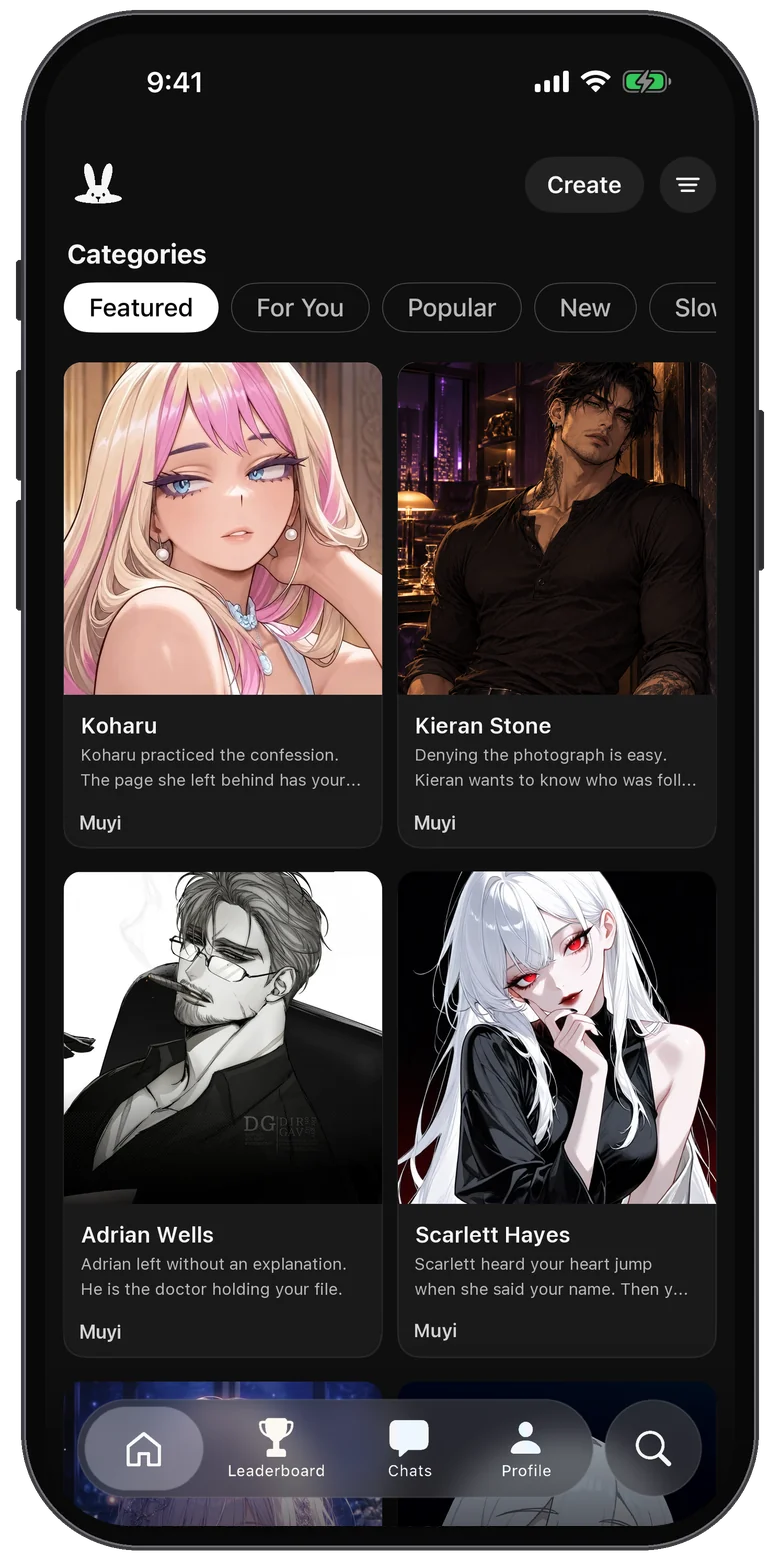
1. Does the chat feel natural and consistent?
A good AI chat keeps the same voice, goals, and personality from the first message to the hundredth. Check whether the app gives characters a personality, a speaking style, and a scenario, or only a name and a picture.
2. Is there a story, or only a chat box?
Some apps are a blank text box. Others start you inside a scene with a setting and a reason to talk. If you like roleplay, a ready-made premise saves you the first ten minutes.
3. Can you make your own characters?
The best part of AI character chat is a character that exists only for you. Look for control over appearance, personality, and the opening message.
4. Does it support group chats?
A group scene with several characters is a different experience from a one-on-one chat. Not every app offers it.
5. Is it free to try?
Most AI chat apps are free to download and limit how much you can use. Check what you get before paying, and whether the subscription renews automatically.
6. Is it made for adults, and does it care about safety?
Stories about romance and drama are popular, so check how an app treats age and safety: an age confirmation, reporting tools, and moderation of shared content.
7. Who sees your messages?
AI chat apps send your messages to an AI provider so a character can answer. A good app tells you which providers, and asks first.
Try Muyi on your iPhone
Free to download. Browse characters, start a story, and chat.

Scan to downloadPoint your iPhone camera at the code to open Muyi in the App Store.
Frequently asked questions
What is the best AI chat app for iPhone?
It depends on what you want. If you want to roleplay with characters, play through stories, and make your own characters, look for an app built for that. Muyi is built for character roleplay and stories on iPhone.
Are AI chat apps free?
Most are free to download with limits on how much you can chat. Muyi is free to download, browsing is free, and your first messages are free.
What is the difference between an AI assistant and an AI character chat app?
An assistant answers questions and helps with tasks. A character chat app plays a person or a role, so the conversation is a story or a relationship you shape.
Do I need an account to try Muyi?
No. You can browse and chat without an account. Creating characters, personas, and stories asks you to sign in with Apple or Google.